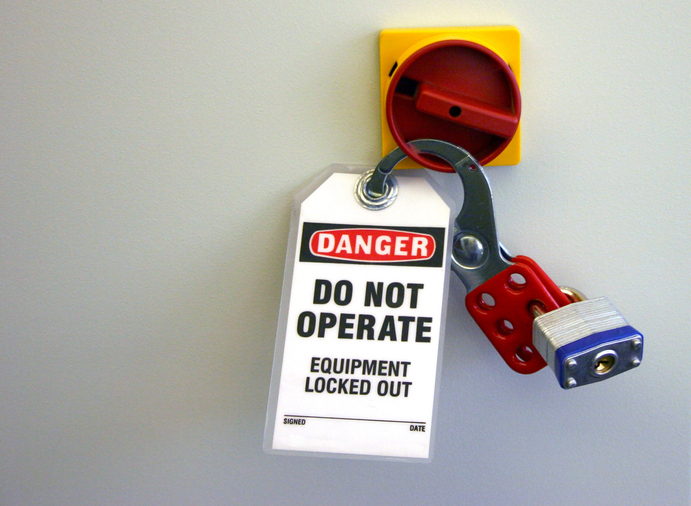
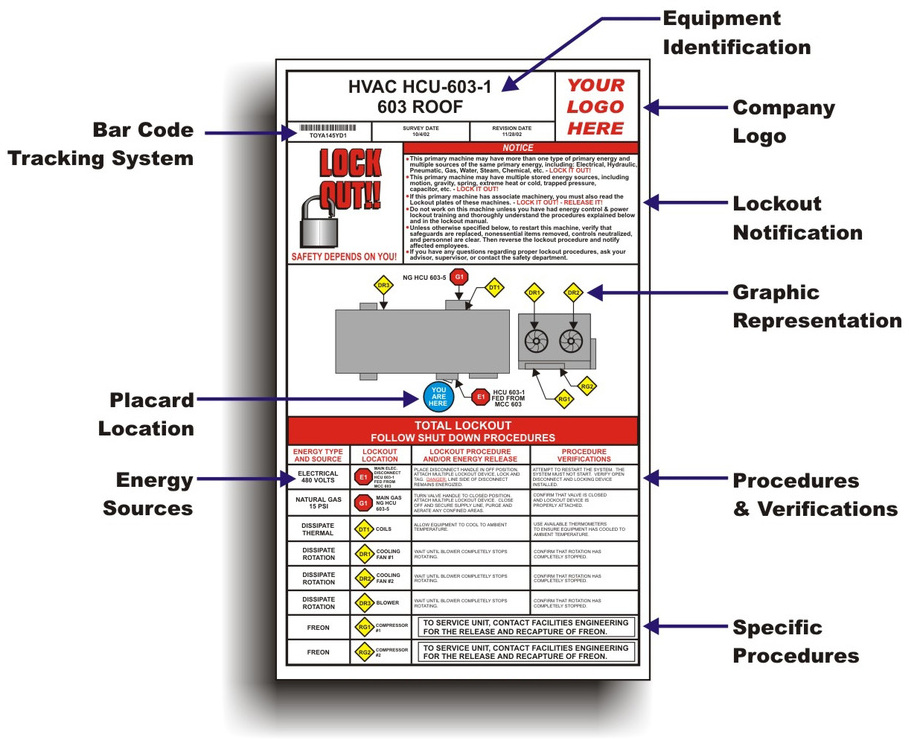
Lockout tags are more than paperwork—they’re a frontline defense against workplace injuries during maintenance. When machinery is being serviced, miscommunication can lead to catastrophic accidents. Free printable lockout tags offer a simple, low-cost way to close that gap. They clearly communicate who locked a device, when, and why—ensuring no one restarts equipment unknowingly.
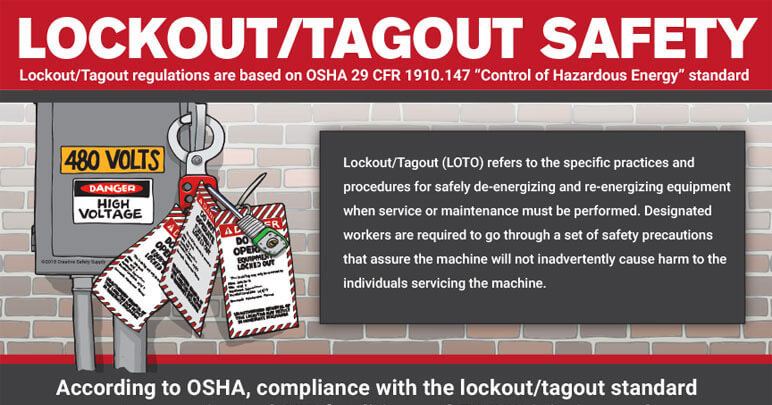
These tags aren’t just convenient—they’re often legally required. OSHA’s lockout/tagout (LOTO) standard (29 CFR 1910.147) mandates that facilities use standardized procedures and visible warning devices during servicing of hazardous energy sources. While lockout devices physically prevent startup, lockout tags provide the vital information.
Yet many small shops, maintenance crews, and even larger operations still rely on handwritten notes or no tags at all. That’s a compliance and safety risk. The good news? You don’t need to buy expensive pre-printed rolls. High-quality, OSHA-compliant lockout tags are now available as free printable PDFs—ready to use in minutes.
What Makes a Lockout Tag Effective
Not all printable tags are created equal. A useful tag must be durable, legible, and contain the right information. Here’s what separates effective lockout tags from the rest:
- Clear header: “DANGER – DO NOT OPERATE” or “LOCKOUT IN PROGRESS”
- Essential fields: Employee name, department, date, time, reason for lockout
- Durable material: Printable on cardstock, vinyl, or water-resistant paper
- Attachment method: Hole-punched for use with locks and tags
- Standardized design: Matches OSHA and ANSI Z535 safety sign standards
Poorly designed tags—faded text, missing fields, flimsy paper—create confusion. A tag that tears in a wet environment or smudges when touched defeats the purpose. Always test print on the intended material before mass printing.
Common Mistakes with DIY Lockout Tags
Even with free templates, teams make avoidable errors:

- Using plain paper: Standard printer paper tears easily and isn’t OSHA-compliant.
- Skipping fields: Leaving out the “reason for lockout” or employee signature undermines accountability.
- No backup procedure: Relying solely on printing tags without a storage system leads to chaos during emergencies.
- Ignoring multilingual needs: In diverse workplaces, tags without Spanish or other language options reduce effectiveness.
One maintenance supervisor in Ohio learned this the hard way. His team used hand-labeled stickers during a conveyor repair. A relief worker, unaware of the lockout, re-energized the line. The near-miss prompted a full overhaul—switching to bilingual printable tags with tamper-proof fields.
When to Use Printable vs. Pre-Made Tags
Printable tags shine in specific scenarios:
- Small businesses: No need to order custom tags in bulk.
- Custom workflows: Add unique fields like work order numbers or shift codes.
- Training drills: Print blank tags for safety simulations.
- Remote sites: Print on-demand where supply chains are slow.
However, pre-made tags are better for:
- High-volume environments (e.g., manufacturing plants)
- Harsh conditions (extreme heat, oil, or moisture)
- Sites needing serialized, trackable tags
For most, a hybrid approach works: use printable tags for routine maintenance and pre-made, weather-resistant versions for critical or outdoor equipment.
Top 5 Free Printable Lockout Tag Templates
| -------- | -------- | ------------ | --------- |
|---|---|---|---|
| SafetySign.com | ANSI Z535-compliant, red/black headers, hole-punch guides | High visibility needs | |
| Creative Safety Supply | PDF, Editable | Fillable fields, multiple languages, ISO-style layout | Multilingual teams |
| EHS Daily Advisor | Clean design, space for signatures, checklist-style back | Field verification | |
| Template.net | Word, PDF | Fully editable, customizable fonts, dual-sided options | Branding or internal systems |
Pro tip: Always download from reputable EHS (Environmental, Health, and Safety) sites. Avoid random blogs or forums—many templates lack OSHA alignment or have incorrect warnings.
How to Implement Printable Tags in 4 Steps
- Download and customize
- Choose a template and add your facility name, logo, or internal codes if needed. Use editable PDFs or Word docs for easy changes.
- Print on durable material
- Use 110 lb cardstock, synthetic paper, or waterproof printable vinyl. Test print one tag first.
- Store with lockout kits
- Keep printed tags, padlocks, and lockout hasps in a labeled, accessible toolbox. Organize by department or machine type.
- Train and enforce
- Ensure every employee knows how to fill out tags completely. Conduct monthly audits—check for missing signatures or reused tags.

A hospital in Colorado reduced LOTO errors by 70% after switching to pre-printed tag stations near each MRI and boiler unit. The key? Integration. Tags weren’t buried in offices—they were part of the maintenance motion.
Why Free Doesn’t Mean Low Quality
Some teams assume “free” means “risky.” But many free templates are produced by safety vendors to build trust. They follow the same standards as paid versions. The difference? You save $200–$500 on initial setup.
That said, quality control is on you. Always:
- Verify ANSI/OSHA alignment
- Use a permanent ink printer (laser preferred)
- Laminate or sleeve tags if used in wet areas
- Audit usage quarterly
One HVAC contractor prints tags on weatherproof polyester sheets. Each costs less than $0.10, lasts 12+ months, and meets all compliance checks.
Use Cases That Prove Their Value
Printable lockout tags aren’t just for factories. Real-world applications include:
- School maintenance: A custodial team tags electrical panels during summer renovations.
- Fleet repair: A city bus garage uses printable tags during brake system servicing.
- Food processing: Workers lock out mixers and slicers before cleaning.
- Construction sites: Generators and compressors are tagged during fuel checks.
In each case, the printable tag creates a paper trail. If an inspector arrives, compliance is visible in seconds.
Final Tips for Maximum Effectiveness
- Color-code by department: Red for electrical, yellow for mechanical, blue for HVAC.
- Use two-part tags: One stays with the worker, one attaches to the lockout point.
- Never reuse tags: Treat each as a single-use record. Archive completed ones for 12 months.
- Pair with lockout logs: Maintain a master sheet tracking active lockouts.
Remember: a lockout tag isn’t just a formality. It’s a legal document and a life-saving tool. When filled out correctly, it prevents someone from being injured—or worse—by a machine they thought was off.
Act Now: Secure Your Free Templates Today
Don’t wait for an incident to act. Download OSHA-compliant printable lockout tags from trusted sources like OSHA.gov or SafetySign.com. Print them on durable stock, store them with your lockout kits, and train your team to use them consistently. Safety isn’t a cost—it’s protection. And it starts with a simple, well-designed tag.
FAQ
What should you look for in Free Printable Lockout Tags for Safety Compliance? Focus on relevance, practical value, and how well the solution matches real user intent.
Is Free Printable Lockout Tags for Safety Compliance suitable for beginners? That depends on the workflow, but a clear step-by-step approach usually makes it easier to start.
How do you compare options around Free Printable Lockout Tags for Safety Compliance? Compare features, trust signals, limitations, pricing, and ease of implementation.
What mistakes should you avoid? Avoid generic choices, weak validation, and decisions based only on marketing claims.
What is the next best step? Shortlist the most relevant options, validate them quickly, and refine from real-world results.